


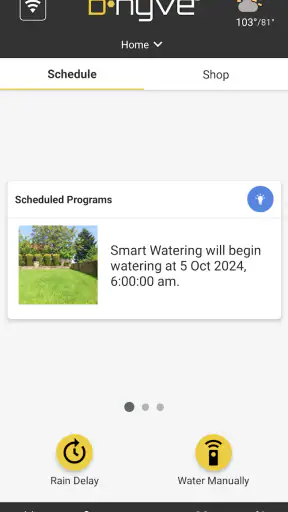
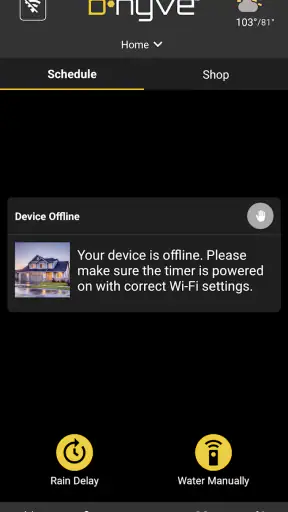
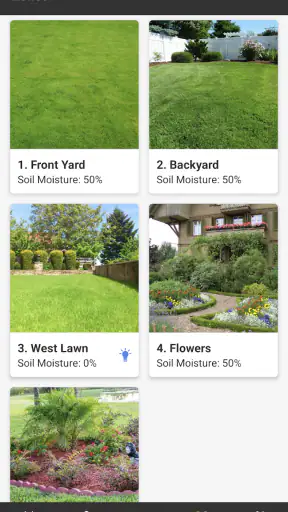
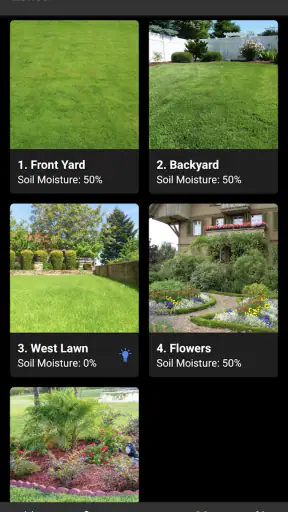
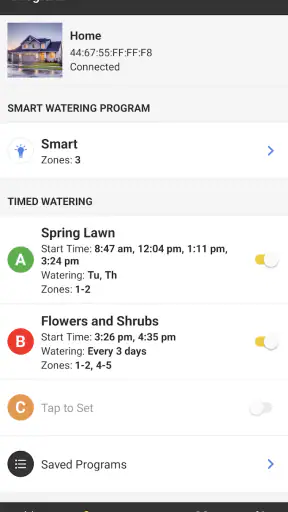
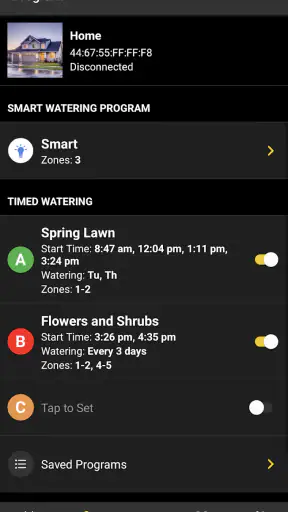
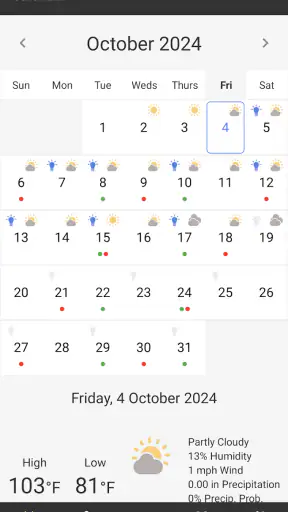
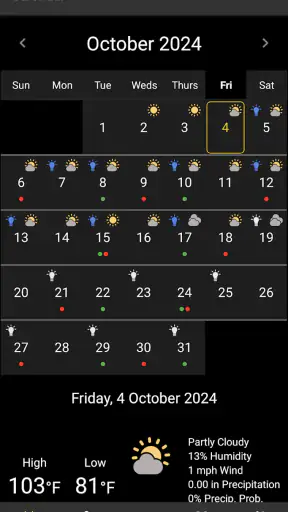
I installed B-hyve expecting a straightforward way to control a sprinkler system from my phone, and that is still the clearest way to understand it: this is a House & Home app built around smart sprinkler control. The useful part is not that it replaces a physical controller with a screen. It gives watering a more flexible place in my daily routine, especially when I am away from home, changing plans, or trying to avoid treating every day as if the weather and garden conditions were identical.
The app is developed by B-hyve and is free to install, which makes it easier to try if you already use compatible B-hyve equipment. I would not treat the app alone as a complete irrigation solution, though. Its value depends heavily on the controller and sprinkler setup it is connected to. Without that hardware relationship, there is little reason to choose it over a general home-control app.
How B-hyve feels in everyday use
My first impression was that B-hyve is most useful when watering stops being a task I want to remember manually. A traditional timer can run a fixed schedule reliably, but it usually asks me to walk over to the controller whenever I want to make a change. B-hyve puts that decision in the same device I already carry, so an adjustment feels less like maintenance and more like managing any other household routine.
A realistic example is a week in which I plan to leave town. With a conventional timer, I would set the schedule before leaving and hope the conditions remain suitable. With B-hyve, I can review the watering plan from the app and make changes without returning to the controller. That does not remove the need to understand my garden, but it does reduce the anxiety of leaving a rigid schedule running while nobody is there.
I also found the app more practical for small corrections than for constant supervision. If a lawn has recently received enough water, or a particular area needs attention, the phone interface is a more convenient place to respond than a wall-mounted control box. The distinction matters: B-hyve is not compelling because I want to stare at irrigation data all day. It is compelling because occasional changes are easier when they can be made from wherever I happen to be.
The application has an average rating of 4.6 from roughly 88 thousand ratings, and it has passed one million installs. Those figures suggest that the product has reached a substantial audience, but they do not guarantee that every setup will feel equally smooth. Irrigation systems vary considerably, and the experience can be affected by the controller, the layout of zones, the reliability of the household connection, and how carefully the initial schedule is configured.
What the current version gets right
The current version is 3.0.58, and the product feels like an established companion rather than a novelty app. It is available for devices running Android 7.0 or later, so owners of older compatible phones may still be able to use it without upgrading immediately. The age rating is Everyone, which fits the practical nature of the application: there is nothing about the concept that requires a specialized audience.
The strongest quality is the shift from fixed control to accessible control. A traditional timer tends to be excellent at repeating the same instruction and less convenient when real life interrupts. B-hyve is better suited to households where plans change. I can think about watering in terms of the garden’s needs instead of treating the controller’s physical location as part of the job.
That benefit is easy to underestimate. A schedule that is technically correct but inconvenient to edit often becomes outdated. People postpone changes, forget them, or decide that adjusting the timer is not worth the trouble. By making the schedule reachable from the phone, B-hyve lowers that friction. In my view, this is a more important advantage than simply being able to start watering remotely.
Another strength is that the app gives the irrigation system a more visible place in household planning. I am more likely to check a phone-based routine before a trip or during a busy week than to inspect a controller mounted somewhere out of sight. That makes the app useful even when I do not open it often. Its success is measured partly by how little attention it demands after the setup has been made sensible.
Where it improves on an ordinary timer
The usual alternative is a standalone sprinkler timer. That option can be perfectly adequate for someone with a stable routine, a small garden, and no interest in remote changes. It may also be preferable when simplicity matters more than flexibility. A physical controller has fewer layers between the person and the watering schedule, and there is no phone interface to learn.
B-hyve makes more sense when the household needs to respond. I would choose it over a conventional timer for a property that is occasionally empty, a garden divided into areas with different watering needs, or a home where more than one person may need to check the system. The phone-based approach is especially helpful when the person responsible for the garden is not the person who installed the equipment.
However, I would not call the app a universal replacement for every smart-home platform. A general home-control system may be a better fit for someone who wants lighting, security, heating, and irrigation in one broader interface. B-hyve is more focused, and that focus is an advantage if sprinkler control is the main concern. It becomes less attractive if the goal is to avoid having separate specialist apps for different parts of the home.
There is also a trade-off between convenience and dependence. A physical timer can remain understandable to somebody who does not use smartphones regularly. B-hyve asks users to be comfortable with the app and with the relationship between the app, the controller, and the irrigation zones. For a household that values a single obvious dial or button, the smarter approach may feel like extra complexity rather than progress.
Practical ways to get more from the app
One tip I would give a new user is to treat the first schedule as a draft, not a finished answer. Gardens rarely behave as one uniform space. A sunny strip beside a wall may need different attention from a shaded area, and a planting bed should not automatically be treated like open lawn. The app can make changes easier, but it cannot make an unsuitable zone layout sensible. Spending time understanding the physical zones is more valuable than endlessly adjusting times without knowing what each zone actually covers.
A second useful habit is to review the schedule before predictable changes in routine. I would check it before leaving for several days, after major garden work, and when seasonal conditions make the old pattern feel questionable. This is a better use of remote access than making random daily adjustments. The app’s convenience is most valuable when it supports deliberate checks rather than encouraging constant tinkering.
A third insight is to use the phone interface as a record of decisions. If watering has been changed for a particular reason, I find it helpful to remember what changed and why, instead of making several small edits that eventually become impossible to interpret. This matters in households where another person may later need to understand the current arrangement. A clear, restrained schedule is easier to maintain than one built from repeated emergency corrections.
I would also test the system before relying on it during travel. Remote control is reassuring only if the underlying controller, zones, and connection behave as expected. Running through the normal routine while I am still at home gives me a chance to notice a mislabeled zone or an unexpected watering result. This is not a weakness unique to B-hyve; it is a sensible precaution whenever software is being used to operate physical equipment away from the property.
The experience for existing users
For someone already using B-hyve, the current version is more important as a continuation of the product than as a reason to expect a completely different experience. The version number shows that the app has developed beyond its earliest release, which dates back to February 23, 2016. I would interpret that history as evidence of an app with a long-running role in the B-hyve ecosystem, not as a promise that every update will transform the way watering works.
That distinction is useful when deciding whether to update. Existing users generally want their established schedules and connected equipment to remain understandable. A newer interface can be worthwhile if it makes routine changes clearer, but familiarity also has value in a household app. When irrigation is working, most people do not want to relearn it every time they open the application.
My advice to an existing user is to judge the current release by the tasks that matter most: opening the app, finding the relevant zone, checking the schedule, and making a controlled change. If those actions feel clear, the app is doing its central job. If the interface makes simple adjustments feel buried or uncertain, the smart features will not compensate for that friction.
The large review base and broad install count indicate that B-hyve is not an obscure experiment, but popularity should not be confused with a guarantee of effortless setup. A person inheriting an existing sprinkler installation may need to spend more time learning which physical areas correspond to the app’s controls. That is an onboarding issue worth taking seriously because mistakes in irrigation are usually connected to the real garden, not just to what appears on the screen.
Gaps and situations where I would skip it
I would skip B-hyve if I only wanted a basic timer and had no interest in managing watering from a phone. In that situation, a conventional controller may be cheaper in complexity, easier for every household member to understand, and entirely sufficient. The free app does not automatically make a smart irrigation setup the simplest choice, because the surrounding equipment and configuration still matter.
I would also hesitate if the garden is very small and watering is rarely changed. The more stable the routine, the less benefit I see in adding remote control. B-hyve earns its place when flexibility solves a real problem. If it merely duplicates a schedule that never changes, the app may become another household tool to maintain.
Another limitation is that software cannot compensate for physical irrigation problems. Poor coverage, clogged emitters, damaged lines, or badly placed sprinklers require attention outside the app. It is easy to feel productive while adjusting a schedule, even when the actual issue is that water is not reaching the intended area. I would use B-hyve as a control layer, not as a substitute for inspecting the system itself.
There is also a learning curve for users who do not naturally think in zones and schedules. The app may be approachable once configured, but the quality of the experience depends on clear naming and a sensible understanding of the installation. If several people share responsibility, agreeing on simple zone names and a conservative routine can prevent more confusion than adding extra adjustments.
What I would watch as the product evolves
The most meaningful future progress would be continued attention to clarity. For a sprinkler app, better presentation of the current schedule, clearer identification of zones, and confidence during changes matter more to me than a crowded collection of extra controls. The product should help users make fewer mistakes, especially when they are adjusting watering quickly from outside the home.
I would also watch how well the app balances automation with user control. Automation is useful when it reduces routine work, but gardening is full of exceptions. A good experience should make it obvious when the app is following a planned routine and when a user has made a temporary change. That distinction helps prevent the classic problem of forgetting that a one-time adjustment has altered the normal pattern.
For current owners, the practical question is not whether every update introduces a dramatic new feature. It is whether B-hyve remains dependable for the small moments that justify installing it: checking the system before a trip, changing a zone without walking outside, and keeping an established routine manageable when circumstances shift. Those are modest tasks, but they are exactly where a focused home app proves its worth.
After using it, I see B-hyve as a sensible choice for people who want their sprinkler system to be easier to adjust rather than merely more sophisticated. It is free, focused, and more useful than a fixed timer when real life regularly interrupts a watering plan. I would recommend it to homeowners with compatible B-hyve equipment who value remote access and are willing to spend time understanding their zones.
I would not recommend installing it just because smart control sounds appealing. If a simple physical timer already meets your needs, the extra layer may not improve your routine. But for a garden that needs occasional supervision from a distance, B-hyve turns sprinkler control into a more manageable household task. That focused improvement is enough to make it worthwhile, provided the user approaches the setup carefully and remembers that good irrigation still depends on the physical system as much as the app.


